An AI-powered omnichannel customer service platform compared with a shared inbox help desk — so you can see which model matches the way your team actually supports customers.
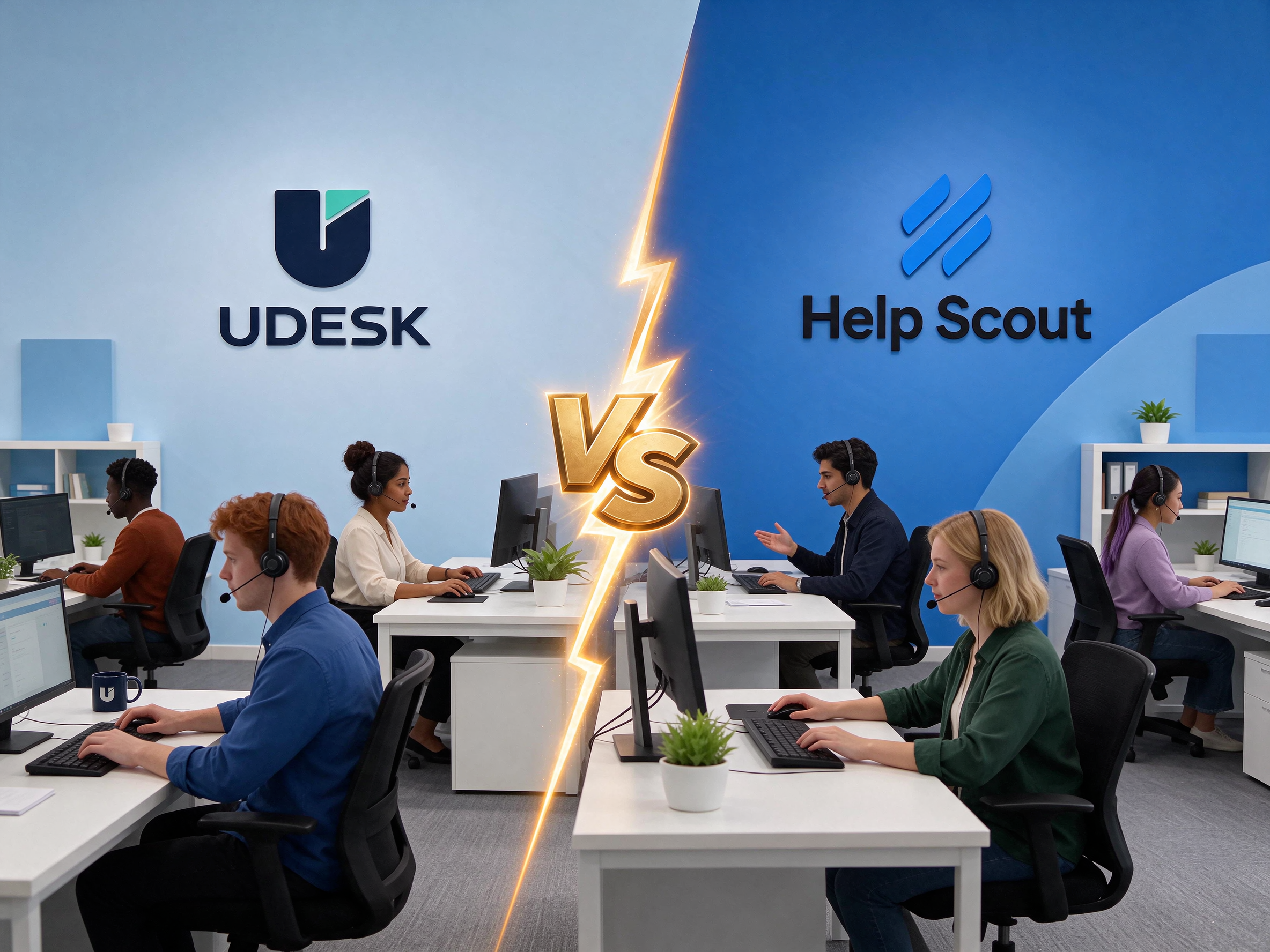
Udesk positions itself as an AI-powered customer service platform for companies growing across channels and markets. Help Scout positions itself as a simple, human shared inbox for email-first support teams. The positioning difference explains almost every other difference below.
| Comparison | Udesk | Help Scout |
|---|---|---|
| Brand proposition | An AI-powered customer service platform that unifies omnichannel engagement, ticketing, knowledge and analytics for growing and global businesses. | A shared inbox and help desk that keeps customer conversations simple, personal and email-like for small and mid-sized teams. |
| Core value | Resolve more conversations automatically and consistently across every channel, while giving managers visibility into service quality and cost. | Help a small team reply quickly and warmly from one shared mailbox, with minimal configuration and a short learning curve. |
| Typical fit | Teams scaling support volume, adding channels such as messaging, voice or e-commerce, and operating across multiple regions and languages. | Teams whose volume is concentrated in email and web chat, with a straightforward workflow and a limited number of agents. |
| Key differentiator | AI and omnichannel orchestration are part of the platform foundation, not add-ons layered on top of a mailbox. | Deliberate simplicity — fewer moving parts, fast onboarding and an interface that feels like an email client. |
| Growth path | Extend from one channel to full contact-center operations, including voice AI, quality inspection and workforce analytics, on the same platform. | Extend through plan upgrades and third-party apps as support needs grow beyond the shared inbox. |
Customers rarely stay on one channel. The question is whether your platform can capture email, chat, messaging apps, social, voice and e-commerce conversations — and orchestrate them with one set of rules, one customer profile and one reporting layer.
| Comparison | Udesk | Help Scout |
|---|---|---|
| Full email ticketing with routing rules, SLA timers, templates and AI-assisted replies. | Core strength — a shared inbox designed around email conversations and collaboration. | |
| Live chat & web messaging | Website and in-app messaging with AI agent handling, human handover and conversation history carried across sessions. | Live chat through the Beacon widget, combined with help articles for self-service. |
| WhatsApp & messaging apps | Native support for WhatsApp and other regional messaging apps, managed in the same agent workspace. | Available mainly through integrations rather than as a native messaging channel. |
| Social media | Social messaging and comment handling as part of 30+ social and commerce integrations. | Handled via third-party apps from the integration directory. |
| Voice & contact center | Built-in voice and contact-center capability, including voice AI, call records and quality inspection. | No native contact center; voice requires an external telephony provider. |
| E-commerce channels | Commerce integrations bring order and buyer context into the conversation for faster resolution. | Commerce data available through connected apps such as store integrations. |
| Channel orchestration | One routing engine, one customer profile and one analytics layer across all channels. | Unified around the shared inbox; channels added through apps may keep separate contexts. |
Every message — email, chat, WhatsApp, social, voice or store enquiry — enters the same queue with full context attached.
Rules assign conversations by language, region, skill, priority and SLA, so the right agent or AI agent picks it up first.
AI agents answer repeatable questions, suggest replies and pull knowledge; complex cases escalate to humans with history intact.
Resolution rate, response time, quality scores and channel cost feed one dashboard for continuous improvement.
Both platforms use AI. The practical difference is whether AI only assists an inbox, or whether it can own the first response, retrieve knowledge, handle voice and feed quality management across every channel.
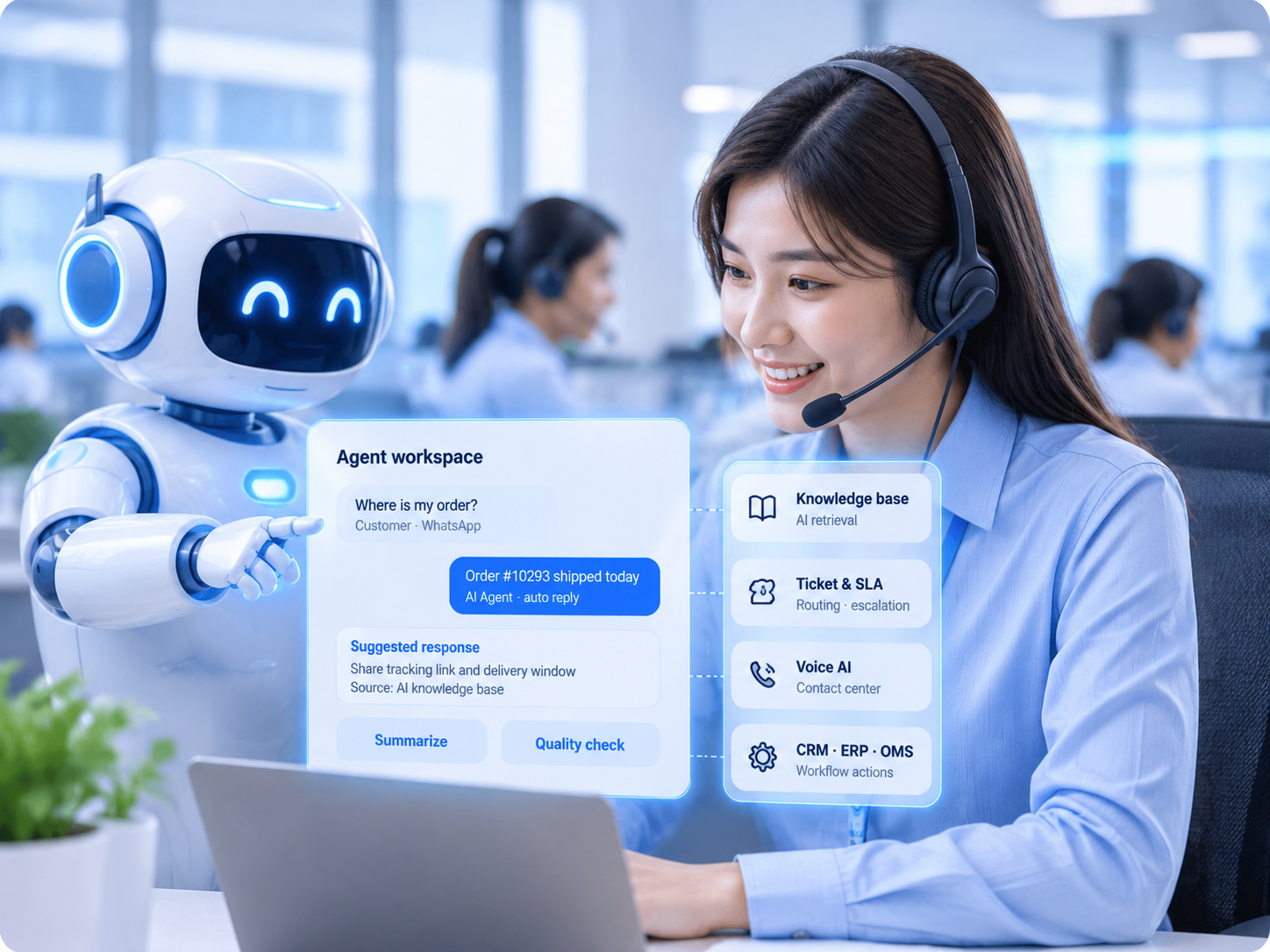
Udesk brings the conversation, the customer record, the knowledge base and the AI agent into a single screen. Agents see suggested responses with their knowledge source, can summarize long threads, and can trigger workflow actions in connected CRM, ERP or order systems without leaving the ticket.
| Comparison | Udesk | Help Scout |
|---|---|---|
| AI agent & automation | AI agents handle first response and resolution across channels, with configurable escalation to human agents. | Envoy AI Agent can resolve conversations, billed separately at $0.75 per AI resolution. |
| Agent assistance | Suggested responses, summaries, translation support and knowledge citations inside the workspace. | AI drafting and summarizing features available within the shared inbox. |
| Ticketing & workflow | Full ticketing with SLA policies, skill-based routing, escalation paths and automation rules. | Conversation-based workflow with assignment, tags, saved replies and workflow automations. |
| Knowledge base | Knowledge base powering self-service, AI retrieval and agent suggestions from the same source. | Docs knowledge base for self-service and article suggestions inside Beacon. |
| Voice AI & quality | Voice AI, call handling and automated quality inspection across voice and text conversations. | Not part of the core product; quality review is largely manual or app-based. |
| Analytics & reporting | Cross-channel dashboards covering resolution rate, AI deflection, response time, agent performance and service quality. | Reporting on conversations, happiness ratings, productivity and Docs performance. |
If your customers are spread across regions, localization is not only translation. It is channel availability in each market, language coverage for AI and agents, follow-the-sun coverage, and operations that stay consistent wherever a conversation starts.
| Comparison | Udesk | Help Scout |
|---|---|---|
| Language coverage | Support across 40+ languages for customer conversations, AI responses and agent workflows. | Multilingual content is possible, but the product experience is primarily English-centric. |
| Regional channels | Native messaging channels such as WhatsApp plus 30+ social and commerce integrations for local markets. | Email, chat and Docs as the core; regional channels depend on third-party apps. |
| Global operations | Multi-team, multi-region routing with 24/7 service coverage and AI handling off-hours volume. | Suited to teams operating in a limited set of time zones with human-led coverage. |
| Localization model | Localized knowledge, templates and AI responses managed centrally and deployed per region. | Localization managed mostly through separate mailboxes, Docs sites and manual content. |
| Service continuity | AI agents maintain response coverage outside working hours, with escalation queued for the next shift. | Out-of-hours coverage relies on auto-replies, self-service articles and the next available agent. |
Beyond day-to-day support features, the decision usually involves deployment options, compliance evidence, how data is governed, and how well the platform connects to the systems your business already runs on.
Enterprise security controls with certification evidence available for procurement and risk review.
Cloud deployment with configuration options that can be adapted to regional and enterprise requirements.
Role-based permissions, audit visibility and controls over how conversation and AI data is stored and used.
Connectors for CRM, ERP, order systems and commerce platforms, plus open APIs for custom workflows.
| Comparison | Udesk | Help Scout |
|---|---|---|
| Deployment | Cloud platform with configuration options to meet regional and enterprise deployment requirements. | Cloud SaaS only, designed for fast self-service setup. |
| Security certifications | ISO 27001 information security management, according to publicly available materials. | SOC 2 Type II, and HIPAA support with a Business Associate Agreement. |
| Data governance | Role-based access, permission granularity and controls over conversation and AI data handling. | Standard SaaS access controls aligned to its shared inbox model. |
| Integrations | 30+ social and commerce integrations plus connections to CRM, ERP and order management systems. | 100+ apps in the integration directory covering CRM, commerce and productivity tools. |
| Developer tools | Open APIs and workflow actions so service processes can trigger changes in connected business systems. | API and webhooks for building custom app connections around the inbox. |
| Implementation fit | Guided implementation for multi-channel, multi-team rollouts, including AI and knowledge configuration. | Self-serve onboarding that a small team can complete quickly without specialist help. |
Help Scout publishes Standard at $25, Plus at $45 and Pro at $75 per user per month billed annually, with the Envoy AI Agent billed at $0.75 per AI resolution. Udesk is quoted based on channels, AI usage, deployment and team size. To compare fairly, look at what you will actually spend once channels, AI consumption, integrations and headcount are included.
| Comparison | Udesk | Help Scout |
|---|---|---|
| Subscription model | Quoted by channels, AI usage, modules and team size, so the package matches the service model you run. | Per-user plans: Standard $25, Plus $45 and Pro $75 per user per month, billed annually. |
| AI cost | AI capability is part of the platform package rather than a separate per-resolution meter. | Envoy AI Agent billed at $0.75 per AI resolution, on top of the per-user subscription. |
| Cost of adding channels | Messaging, social, voice and commerce channels are added within the same platform and the same reporting layer. | New channels such as voice or messaging usually require third-party tools with their own subscriptions. |
| Integration & implementation | Implementation support for routing, knowledge and system integration during rollout. | Low initial setup effort; deeper integrations depend on apps or internal development. |
| Scaling cost | Automation absorbs repeatable volume, so cost growth is not strictly tied to adding seats. | Cost scales mainly with agent count, plus AI resolutions as automation handles more volume. |
| TCO perspective | Best value when multiple channels, languages and automation are consolidated on one platform. | Best value for small, email-first teams where the shared inbox covers nearly all volume. |
Pricing figures shown for Help Scout are taken from its publicly published plan information and may change. Confirm current pricing with each vendor before making a purchase decision.
Short answers to the questions teams ask most when they compare an AI-powered omnichannel platform with a shared inbox help desk.
Udesk’s strengths include AI Agents, broad omnichannel coverage, voice and contact center capabilities, multilingual service and integrations with enterprise systems. It is a strong fit for businesses with complex workflows or global service requirements. The platform’s breadth may require more solution design, configuration and implementation than a lightweight shared inbox. Pricing and deployment options also need to be scoped against the organization’s channels, users and technical requirements.
Help Scout’s strengths include an intuitive shared inbox, a people-first support experience, a built-in knowledge base, Beacon and useful integrations for growing support teams. It is well suited to teams that prioritize straightforward email and messaging support. Its limitations may become more relevant for businesses that need a native contact center, advanced voice operations, extensive regional channel coverage or complex enterprise workflows; these needs may require third-party tools and additional integration work.
Bring every channel, language and AI agent into one platform — and see what your service team can deliver when conversations, knowledge and automation finally work together.