 Customer Service Software Guides & AI Agent Blogs | Udesk
Multi-Agent WhatsApp: How to Manage One Number with a Team (2026 Guide)
article summary:Struggling with multi-agent WhatsApp limitations? This guide compares native apps, BSPs, and AI-powered platforms like Udesk. Learn how to master WhatsApp shared inbox team management and scale your global customer service with AI agents and automation.




Table of contents for this article
- 1. The Challenge: Native WhatsApp Business is Not Built for Teams
- 2. The Options: Comparing Solutions for Multi-Agent WhatsApp Management
- 3. The AI-Powered Solution: Udesk for Multi-Agent WhatsApp Management
- 4. Which One is Right for You?
- FAQ
- 》》Click to start your free trial of Omnichannel Systems, and experience the advantages firsthand.
For a growing business, assigning a single customer service agent to WhatsApp is a bottleneck. One person cannot handle 24/7 global inquiries, complex returns, or multilingual support. The obvious solution is to have a team of agents manage the same number. However, the native WhatsApp Business API and its basic apps were not designed for this.
This creates a critical question: How do you manage WhatsApp with multiple agents efficiently without violating Meta’s policies or creating a chaotic, error-prone customer experience? The answer lies in moving beyond basic tools to an AI-powered omnichannel platform.
This guide explores the limitations of native solutions, compares available options, and explains why an AI Agent platform like Udesk is the definitive answer for global teams.
1. The Challenge: Native WhatsApp Business is Not Built for Teams
While Meta offers WhatsApp Business App and WhatsApp Business API, neither is optimized for a customer service team.
Limitations:
- Single Device Login: The app is designed for one phone and one user. Sharing a number across multiple devices is against Terms of Service.
- No Permission Control: Every agent has full access to read all conversations and send messages, leading to confusion and privacy risks.
- No Routing: There is no intelligent assignment. All incoming messages arrive in a single queue, forcing agents to manually pick up conversations, often leading to conflicts or customers being ignored.
- No Performance Tracking: You have zero visibility into agent workloads, response times, or customer satisfaction.
Problems this creates for a team:
| Issue | Impact |
|---|---|
| Double Reply | Two agents answer the same customer, creating confusion and unprofessionalism. |
| Missed Messages | A message falls through the cracks because everyone assumes someone else is handling it. |
| No Context | An agent has no idea what a previous agent discussed, forcing the customer to repeat themselves. |
| Security Risk | Sensitive customer data is exposed to every agent without any access controls. |
The core problem is that these tools lack the fundamental structure of a professional customer service system.
2. The Options: Comparing Solutions for Multi-Agent WhatsApp Management
To solve this, businesses have a few paths. Here is a comparison of the main approaches.
| Feature | Native WhatsApp Business App | WhatsApp Business API (via BSP) | AI-Powered Omnichannel Platform (e.g., Udesk) |
|---|---|---|---|
| Multi-Agent Collaboration | ❌ Not supported | ✅ Supported via routing | ✅ Advanced routing & AI triage |
| Inbox & Routing | ❌ Single queue, manual pick | ✅ Basic queue & assignment | ✅ Intelligent routing, skill-based assignment, AI auto-assign |
| Permission Control | ❌ None | ✅ Basic roles | ✅ Granular roles, team permissions |
| Customer Context | ❌ None | ✅ Basic history | ✅ 360° Customer View (history, tags, interaction logs) |
| AI & Automation | ❌ None | ❌ Limited or separate add-on | ✅ Built-in AI Agent, Chatbots, Voicebots, Agent Assist |
| Integration | ❌ None | ✅ API integration (custom) | ✅ Pre-built integrations (30+ channels, CRM, ERP) |
| Multi-Channel Unification | ❌ WhatsApp only | ❌ WhatsApp only | ✅ Unified inbox for WhatsApp, Facebook, Instagram, Line, Voice, Email, Web |
| Cost to Scale | Low (but broken) | Medium | High ROI through automation |
3. The AI-Powered Solution: Udesk for Multi-Agent WhatsApp Management
For a team that wants to not only manage but supercharge its WhatsApp customer service, an AI-powered omnichannel platform is the only scalable choice. Udesk is purpose-built for this.
Here is how Udesk transforms a WhatsApp shared inbox team:
3.1 Unified Omnichannel Inbox
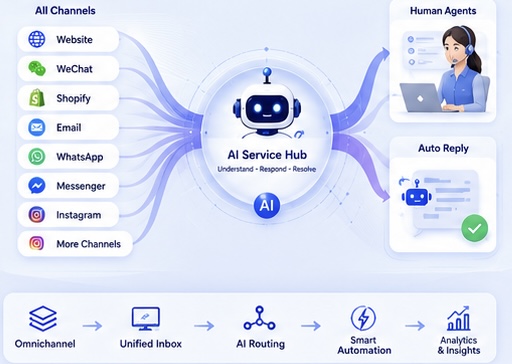
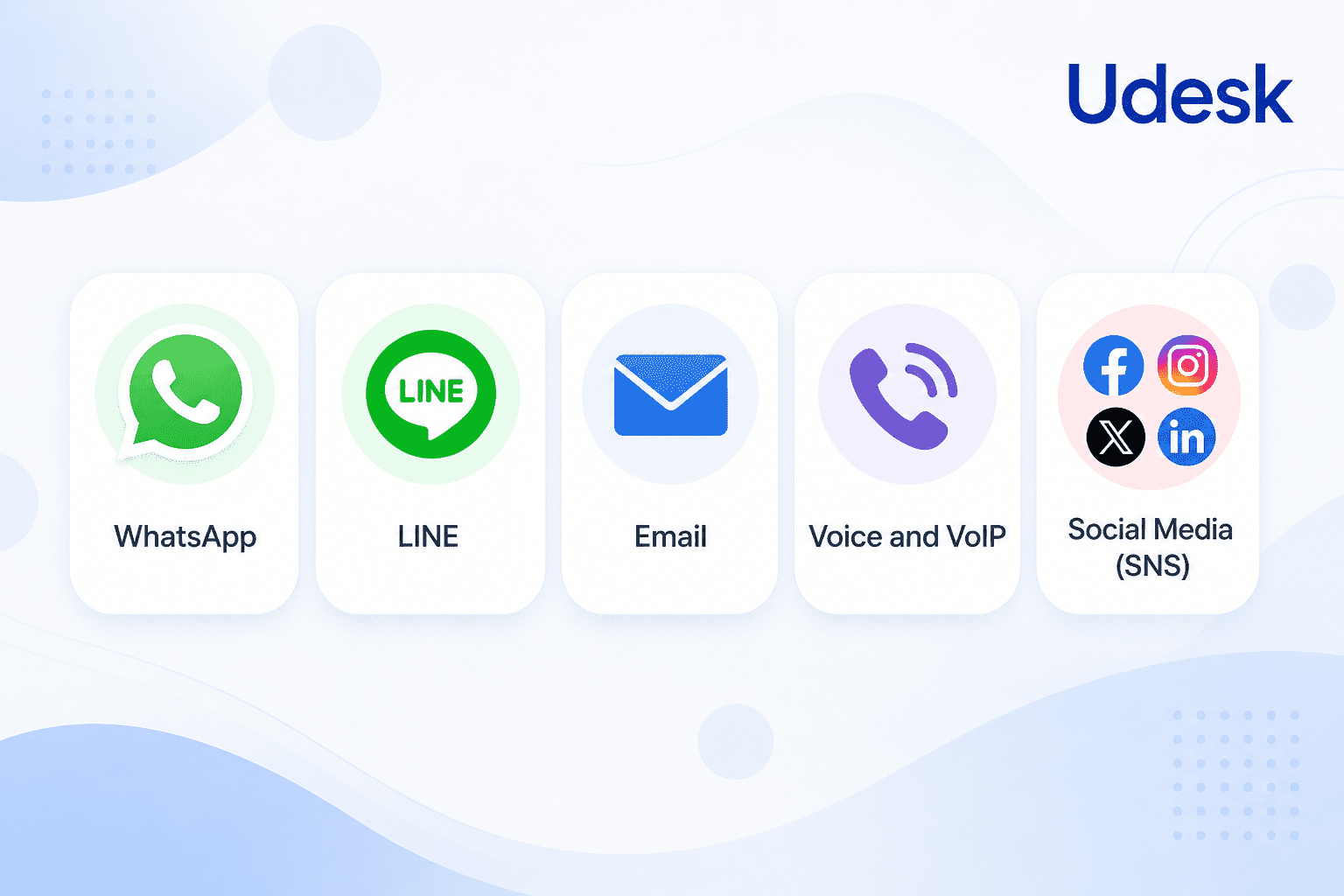
Udesk consolidates WhatsApp with 30+ other channels (Facebook, Instagram, WeChat, Line, Shopee, Amazon, Voice, Email, Web, etc.) into a single, clean interface. This ensures your team never misses a customer inquiry, regardless of the source. This directly addresses the “information silo” problem.
3.2 Intelligent Routing and Assignment
Udesk’s AI Agent doesn’t just dump all messages into a queue. It intelligently analyzes the conversation context, language, customer profile, and intent to route it to the most appropriate agent. This is true multi-agent WhatsApp management.
- Skill-Based Routing: Route a Spanish-language complaint directly to a Spanish-speaking agent.
- Intent-Based Routing: Escalate a complex refund request to the finance team.
- Workload Balancing: Distribute conversations evenly to avoid overloading any single agent.
3.3 AI Agent: The First Line of Defense
Udesk’s AI Agent is the secret weapon. It handles the first wave of customer inquiries autonomously. This dramatically reduces the workload on your human team.
- AI Chatbot: Resolves up to 85% of routine queries (e.g., tracking, account issues) instantly on WhatsApp. This is the core of manage WhatsApp with multiple agents efficiency.
- AI Agent (Autonomous): For more complex tasks (e.g., checking order status, processing a return), the AI Agent can execute actions by integrating with your backend systems. This is a proven result from Udesk’s global case studies (e.g., J&T Express reduced cost by 42%, Taikang Insurance resolved 83% of inquiries via AI).
- Agent Assist: When a human agent takes over, the AI provides recommended responses, conversation summaries, and relevant knowledge base articles, cutting Average Handle Time (AHT) by up to 70%.
3.4 Global-Ready Architecture
Udesk’s platform is built for global teams.
- Multi-Language Support: AI Agent and Agent Assist support 35+ languages and automatic translation.
- Global Nodes: Deployments in Frankfurt, Singapore, Indonesia, Japan, and the U.S. for low-latency global service.
- Compliance: Compliant with GDPR, CCPA, LGPD, and other regional data protection laws.
4. Which One is Right for You?
- Solo Entrepreneur or Very Small Team (<3 agents): The native WhatsApp Business App might suffice, but be aware of its risks and limitations.
- Growing Team (3-20 agents) with Basic Needs: A pure BSP connection with a basic CRM might work, but lacks the AI and automation to truly scale.
- Professional Customer Service Team (20+ agents) or Global Business: An AI-powered omnichannel platform like Udesk is the only correct answer. It solves the core problem of multi-agent WhatsApp collaboration, reduces costs through AI, and provides a seamless, high-quality customer experience that builds brand loyalty.
FAQ
Q1: Can multiple agents use the same WhatsApp Business number?
A: Yes, but not through the native app. You must use the WhatsApp Business API through an Official BSP like Udesk. Udesk’s omnichannel platform then allows your entire team to manage that single number from a single, professional inbox with full routing and permission controls.
Q2: What is a “WhatsApp shared inbox team” and how does it work?
A: A “WhatsApp shared inbox” is a system that allows a team of agents to receive, view, and respond to WhatsApp messages from a single business number. It works by using the WhatsApp Business API to funnel all incoming messages into a platform (like Udesk), which then uses intelligent routing to assign conversations to specific agents based on skills, workload, or predefined rules.
Q3: How does AI help manage a WhatsApp team?
A: AI has three functions in a WhatsApp team: 1) Autonomous triage – it answers common questions instantly, reducing team workload. 2) Intelligent routing – it analyzes the conversation to route it to the right human agent. 3) Agent assist – it provides human agents with suggested replies, knowledge, and context in real-time, which Udesk’s global case studies show can reduce handling time by up to 70%.
Q4: Will using Udesk for multi-agent WhatsApp help my team work more efficiently?
A: Absolutely. Udesk provides a unified inbox with intelligent routing, which eliminates double replies and missed messages. The AI agent handles a significant portion of inquiries autonomously. Our data shows teams using Udesk can see efficiency improvements of up to 40% and a 30% reduction in overall operational costs.
》》Click to start your free trial of Omnichannel Systems, and experience the advantages firsthand.

The article is original by Udesk, and when reprinted, the source must be indicated:https://www.udeskglobal.com/blog/multi-agent-whatsapp-how-to-manage-one-number-with-a-team-2026-guide.html
