 Customer Service Software Guides & AI Agent Blogs | Udesk
How to Unify WhatsApp, Email & Live Chat in One Agent Desktop
Article Summary:Customer service teams often manage WhatsApp, email, and live chat from separate tools, forcing customers to repeat themselves and agents to waste time switching between interfaces. A unified agent desktop consolidates all channels into a single workspace, providing a complete customer view, seamless context switching, and AI‑driven automation. The integration process involves upgrading to the WhatsApp Business API, connecting email and live chat, and configuring smart routing.



Table of contents for this article
- 1. The Cost of Channel Fragmentation
- 2. Core Capabilities of a Unified Agent Desktop
- 3. Step-by-Step Integration Steps
- 4. Live Demonstration: The Unified Desktop in Action
- 5. Measurable Efficiency Gains
- 6. FAQ
- 》》Click to start your free trial of Omnichannel Systems, and experience the advantages firsthand.
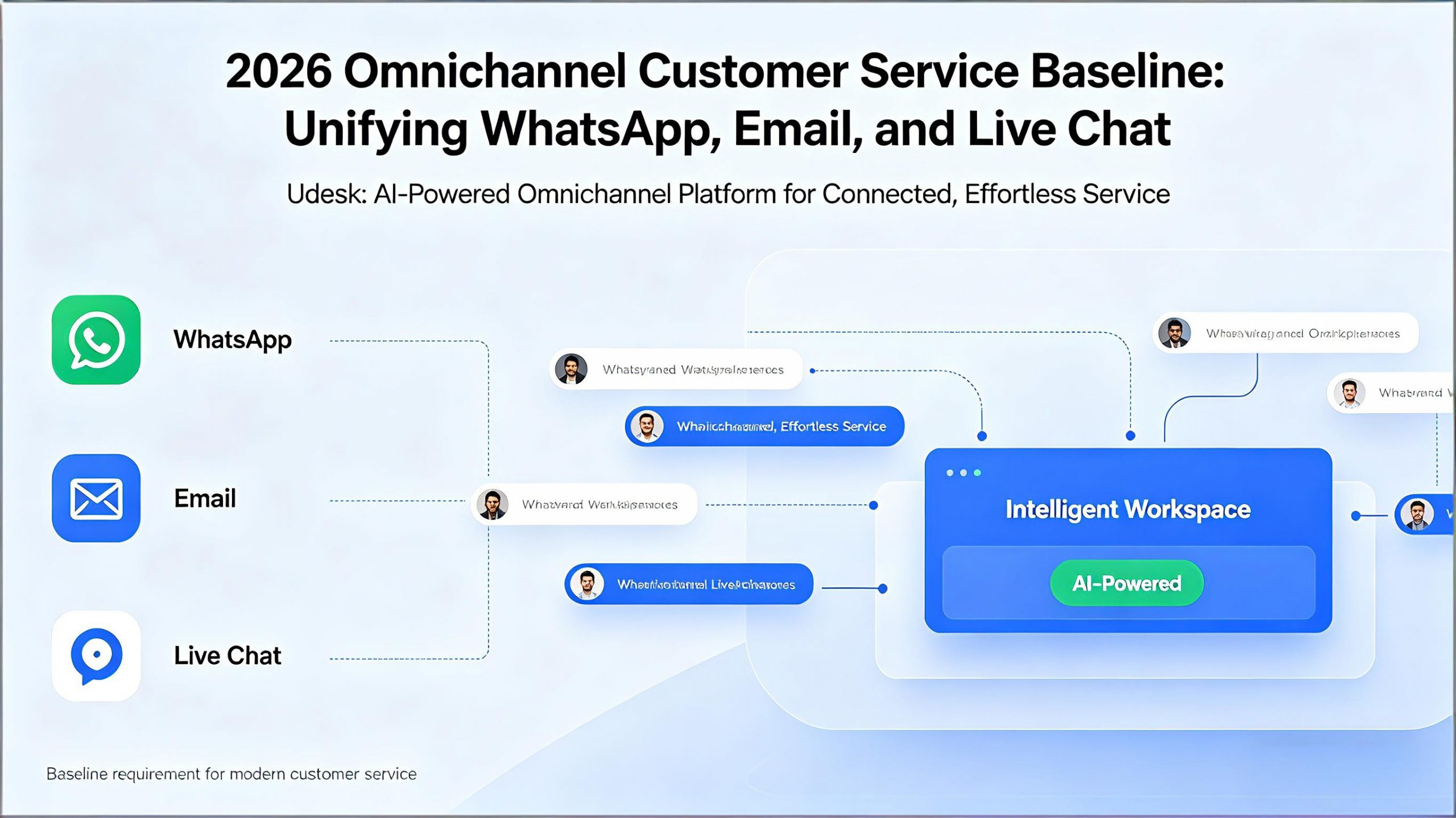
In 2026, unifying WhatsApp, email, and live chat into a single agent desktop is no longer a luxury reserved for enterprise budgets. It is the baseline requirement for delivering the connected, effortless service that modern customers demand. For organizations ready to consolidate their customer conversations, Udesk offers a proven, AI powered omnichannel platform that brings every channel into one intelligent workspace.
1. The Cost of Channel Fragmentation
1.1 The Explosion of Customer Messaging Channels
WhatsApp now has over 3.3 billion monthly active users globally, and 175 million people message a business account daily. As businesses add more channels to meet customer demand, the complexity of managing them multiplies. Yet most support teams still handle WhatsApp, email, and live chat from separate interfaces.
1.2 The Hidden Costs of Juggling Multiple Platforms
When agents toggle between a WhatsApp Business App window, an email client, and a live chat dashboard, three problems emerge. First, customers repeat themselves. A customer who describes an issue on WhatsApp then follows up via email forces the email agent to ask for the same information again. Customers who repeat themselves give satisfaction scores 38 percent lower. Second, agents lose productive time to tool switching, increasing response times and burnout. Third, fragmented channels destroy retention: companies with fragmented strategies retain only 33 percent of customers, compared to 89 percent for those with omnichannel engagement.
Udesk solves fragmentation by unifying over 30 channels including WhatsApp, email, and live chat on a single agent desktop. Trusted by over 90 Fortune Global 500 companies, Udesk delivers a unified omnichannel inbox with full customer context.
2. Core Capabilities of a Unified Agent Desktop
2.1 A Single 360-Degree Customer View
The unified desktop consolidates every interaction across all channels into one customer profile. Whether a conversation started on WhatsApp or email, agents see the full history without opening separate tabs.
2.2 Seamless Context Switching
When a customer moves from WhatsApp to email mid-issue, the desktop preserves the conversation. Agents continue the thread without asking customers to repeat themselves. Context follows the customer, not the channel.
2.3 Intelligent Workflow Automation
AI automatically classifies intent, pulls CRM data, suggests responses, and supports warm transfers with full context. Supervisors monitor live dashboards to coach agents in real time.
Udesk delivers over 98 percent intent recognition accuracy using a self-developed LLM and RAG architecture. Agents handle WhatsApp, email, and live chat from one console with AI proposing replies while humans focus on judgment.
3. Step-by-Step Integration Steps
3.1 Step One: Upgrade to WhatsApp Business API
The free WhatsApp Business App cannot support multiple agents or CRM integration. Upgrade to the WhatsApp Business API through an official Business Solution Provider. Complete Meta Business Verification (2–7 business days) and register a dedicated phone number.
3.2 Step Two: Connect Email and Live Chat
Use native integrations to connect Gmail, Outlook, or custom email servers. Add a JavaScript snippet to your website for live chat. Ensure all three channels feed into the same customer profile database for identity resolution.
3.3 Step Three: Configure Routing and Workflows
Set routing rules based on intent detection, customer priority, or agent skill sets. Configure automated workflows for ticket creation, acknowledgment messages, and escalation triggers.
Udesk simplifies every step with native WhatsApp Business API integration, pre-built email and chat connectors, and a distributed cloud-native architecture handling tens of millions of concurrent requests with sub-200ms response times.
4. Live Demonstration: The Unified Desktop in Action
4.1 WhatsApp to Email Without Repeating
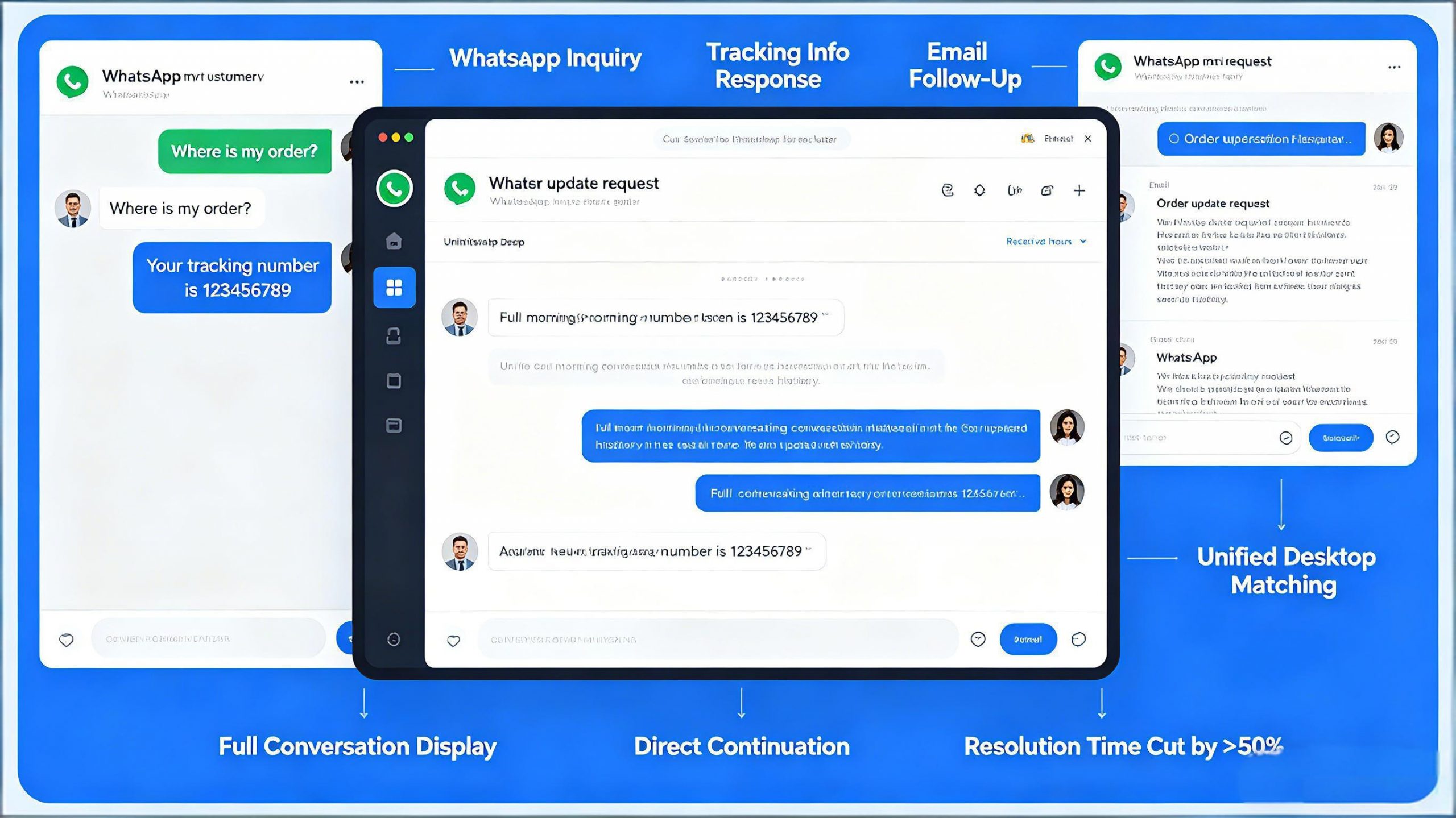
A customer sends a WhatsApp message about an order. The agent replies with tracking info. Hours later, the same customer emails. The unified desktop matches email to WhatsApp phone number, displays the full morning conversation, and the agent continues directly. Resolution time cut by more than half.
4.2 Live Chat to WhatsApp Without Losing Context
A customer starts a live chat on a website but prefers to continue on WhatsApp. The agent clicks a handoff link. The WhatsApp conversation loads the full chat transcript. The customer never re-explains anything.
4.3 AI Suggests Responses at Scale
On a high-volume day, AI scans every incoming WhatsApp message, identifies intents (pricing, shipping, returns), and suggests pre-approved response templates. Agents approve with one click, saving seconds per interaction.
5. Measurable Efficiency Gains
5.1 Higher First-Contact Resolution
When agents see full conversation history across channels, they solve issues on the first interaction. First-contact resolution improves measurably, and average handling time drops.
5.2 Reduced Context Switching
In fragmented environments, agents toggle between tools constantly. A unified desktop reduces context switching by replacing multiple chat tools with a single AI-powered workspace, lowering agent frustration and turnover.
5.3 Lower Operational Costs
The median cost per self-service contact is 1.84versus13.50 for human-assisted contacts. AI can resolve 30–50 percent of routine inquiries. Omnichannel customers spend 1.5 times more than single-channel buyers.
Udesk has helped businesses increase customer service efficiency by 40 percent. With over 30 unified channels bridging domestic Chinese platforms like WeChat and international channels like WhatsApp, Udesk provides a truly global unified agent desktop.
6. FAQ
Q1. Do I need a separate WhatsApp phone number for each agent?
No. With WhatsApp Business API connected to a unified desktop, multiple agents share one WhatsApp Business number. The API routes conversations to available agents automatically.
Q2. Can the unified desktop integrate with my existing CRM?
Yes. Most enterprise platforms offer out-of-the-box connectors for Salesforce, HubSpot, Zendesk, and other popular systems. Custom integrations are available via REST APIs.
Q3. How long does full integration take?
Typically 2 to 4 weeks. Meta Business Verification takes 2–7 business days. Connecting email and live chat takes 1–3 days. Testing and training add 5–10 business days.
In 2026, unifying WhatsApp, email, and live chat into one agent desktop is the baseline for connected customer service. Udesk delivers a proven, AI-powered omnichannel platform that brings every channel into one intelligent workspace.
》》Click to start your free trial of Omnichannel Systems, and experience the advantages firsthand.
The article is original by Udesk, and when reprinted, the source must be indicated:https://www.udeskglobal.com/blog/how-to-unify-whatsapp-email-live-chat-in-one-agent-desktop.html